

Description
Download Attica Mobile APK – Finance, Banking, Mobile App
Overview
Attica Mobile is a dedicated banking application designed for Android users, developed by Attica Bank S.A. The software serves as a digital gateway to a range of financial services, enabling users to manage their accounts, perform transactions, and monitor balances directly from their mobile devices. Targeted primarily at individual consumers and small business owners who rely on digital banking, the app supports everyday financial needs such as fund transfers, bill payments, card management, and account statements access. It is especially suited for users seeking convenience and real-time access to their banking information without visiting a physical branch.
Designed with a focus on usability and security, the app integrates standard banking protocols to ensure data protection during online interactions. Its primary function is to streamline financial operations by consolidating essential banking tools into a single, accessible interface. The app is particularly useful for users who prefer managing their finances on the go, including those with busy schedules, remote workers, or individuals living in areas with limited branch access. It supports Android 13.0 and above, indicating a commitment to compatibility with modern mobile platforms.
Key Features & Capabilities
- Account Management: View balances, transaction history, and account details in real time.
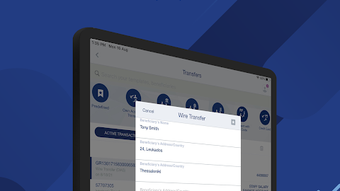
- Fund Transfers: Initiate transfers between personal accounts or to external recipients.
- Bill Payments: Schedule and pay recurring or one-time bills directly through the app.
- Card Controls: Activate, deactivate, or freeze debit/credit cards remotely.
- Security Features: Includes biometric authentication and real-time transaction alerts.
- Document Access: Retrieve and view digital copies of statements and financial documents.
These features allow users to perform most routine banking tasks without visiting a branch. For example, a user can quickly check their balance while shopping, transfer money to a family member after work, or block a lost card using facial recognition or fingerprint login. The app also supports notifications for suspicious activity, helping users stay informed about their financial health. These capabilities are essential for modern banking, offering both efficiency and peace of mind.
User Interface, Workflow & Performance
The user interface of Attica Mobile is designed to be intuitive and accessible, with a clean layout that prioritizes essential functions. Navigation is structured around a bottom tab bar, offering quick access to core features such as Home, Transactions, Transfers, and Cards. The design emphasizes clarity, with large icons, readable fonts, and a logical flow between screens. Users can expect a consistent experience across different account types and transaction types.
Workflow efficiency is enhanced through direct access to frequently used actions, such as instant transfers and card controls, which require minimal steps. The app’s responsiveness appears to align with standard Android application behavior, though specific performance metrics were not provided. The developer did not specify resource usage details, so CPU and RAM behavior remain unknown. Stability is assumed to be consistent with typical banking apps, given the app’s release history and version updates. Users can expect a smooth experience on devices running Android 13.0 or higher, provided the device meets general system requirements.
Compatibility & System Requirements
Attica Mobile is designed for Android devices and requires Android 13.0 or a newer version to operate. The current version of the app is 1.11.2b4.1.2.e997c1b, with an installation size of 27.5 MB. This indicates a lightweight footprint, suitable for devices with moderate storage capacity. The developer did not provide additional system requirements, such as minimum RAM, processor speed, or GPU specifications.
Compatibility information is limited to the operating system version and file size. No details were shared regarding support for tablets, wearables, or other Android-based devices. The app is available exclusively through the Android platform, with no indication of future releases for other operating systems. Users should ensure their device meets the minimum OS requirement to install and run the application successfully.
Pros and Cons
Pros
- Lightweight installation size at 27.5 MB.
- Designed for Android 13.0 and above, ensuring modern security standards.
- Intuitive interface with easy navigation and clear layout.
- Offers essential banking tools like transfers, bill payments, and card controls.
- Includes biometric login for enhanced security.
Cons
- Compatibility limited to Android 13.0 and above, excluding older devices.
- Developer did not provide detailed system requirements.
- Performance and resource usage data were not specified.
- No information on support for tablets or other Android devices.
- App availability restricted to Android; no versions for iOS or other platforms.
FAQ Section
Is Attica Mobile available for iOS devices?
As of now, the app is only available for Android. There is no official version for iOS devices.
Can I use Attica Mobile without an internet connection?
The app requires an active internet connection to access account data, perform transactions, and receive real-time updates. Offline functionality is not supported.
Is Attica Mobile safe to download and use?
Yes, the app is published by Attica Bank S.A., a recognized financial institution. It uses standard security protocols for data protection and supports biometric authentication.
How often are updates released for Attica Mobile?
Updates are released periodically to improve functionality, fix bugs, and enhance security. The current version is 1.11.2b4.1.2.e997c1b.
What type of license does Attica Mobile use?
Attica Mobile is a free application. There are no subscription fees or in-app purchases required to access core banking features.
Final Thoughts
Attica Mobile delivers a reliable and secure mobile banking experience tailored for Android users. Its clean interface, essential financial tools, and support for modern Android versions make it a practical choice for individuals seeking convenience and control over their finances. While the app has limitations in terms of platform availability and lacks detailed system specifications, its core functionality is well-executed and focused on user needs.
For consumers who prioritize security, ease of use, and real-time access to banking services, Attica Mobile stands out as a solid option. It is particularly beneficial for users with Android 13.0 or newer devices who want a lightweight, free tool to manage their accounts on the go. The absence of in-app purchases and the inclusion of biometric login further enhance its appeal.
Download Attica Mobile now
Guides & Tutorials for Attica Mobile APK
How to install Attica Mobile APK
- Click the Preview / Download button above.
- Once redirected, accept the terms and click Install.
- Wait for the Attica Mobile APK download to finish on your device.
How to use Attica Mobile APK
This software is primarily used for its core features described above. Open the app after installation to explore its capabilities.
User Reviews for Attica Mobile APK 0
No reviews found





